

Pika
Playful AI video tool with viral effects and scene-to-scene restyling.
RATED
4.1 ⭐️
strength
AI Creative effects
starts at
$ 9
per week
RATED
4.1 ⭐️
strength
AI Creative effects
starts at
$ 9
per week
Overview
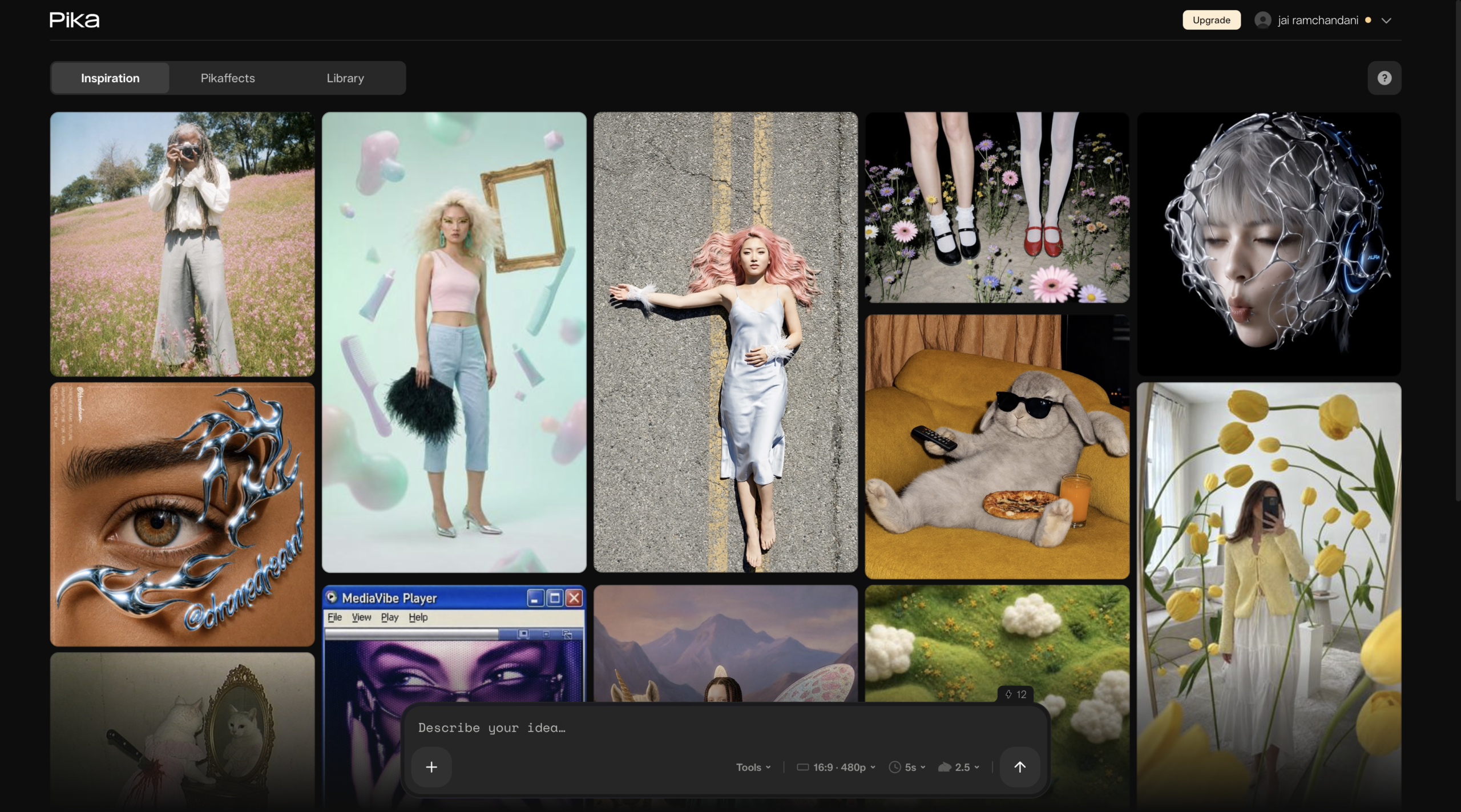
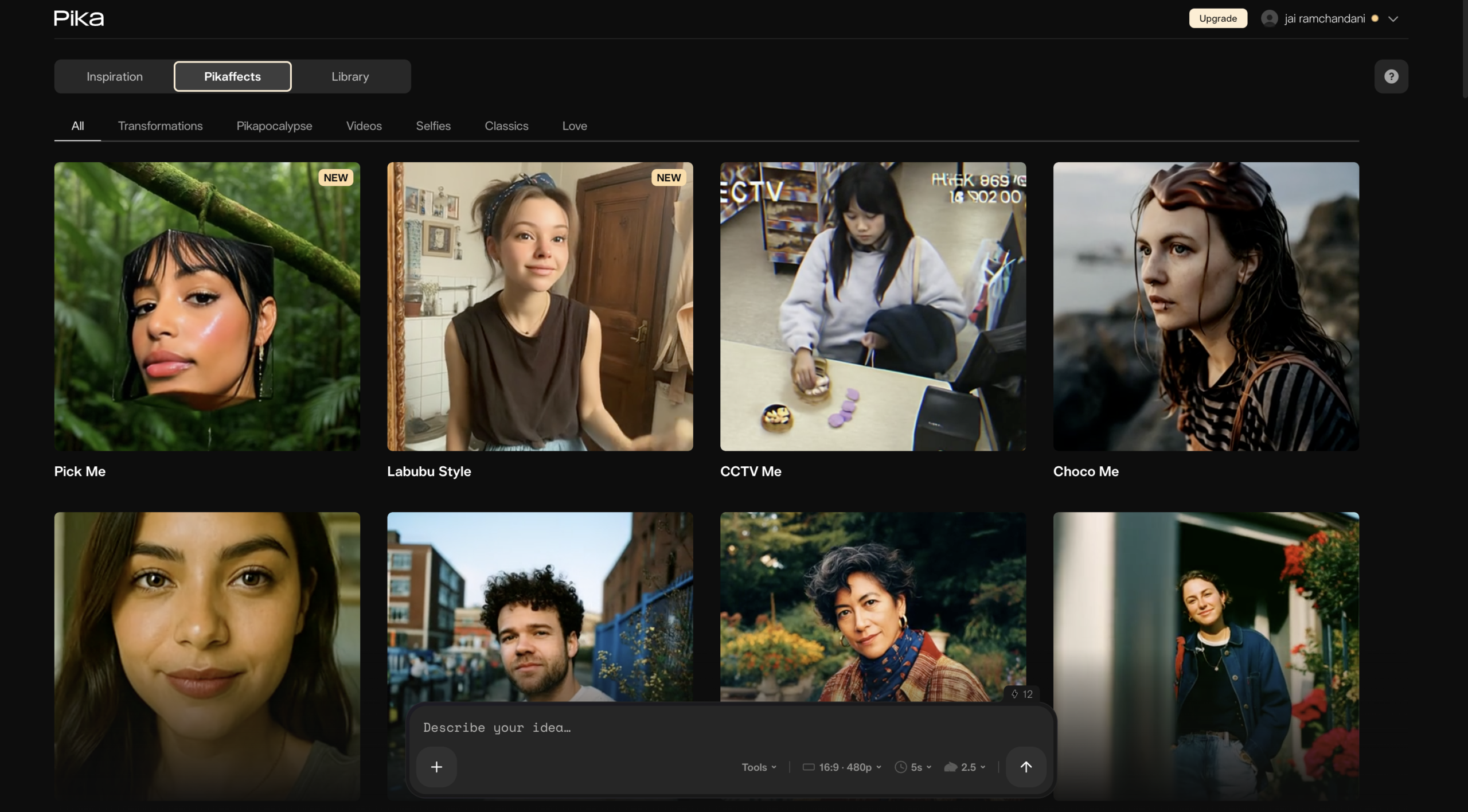
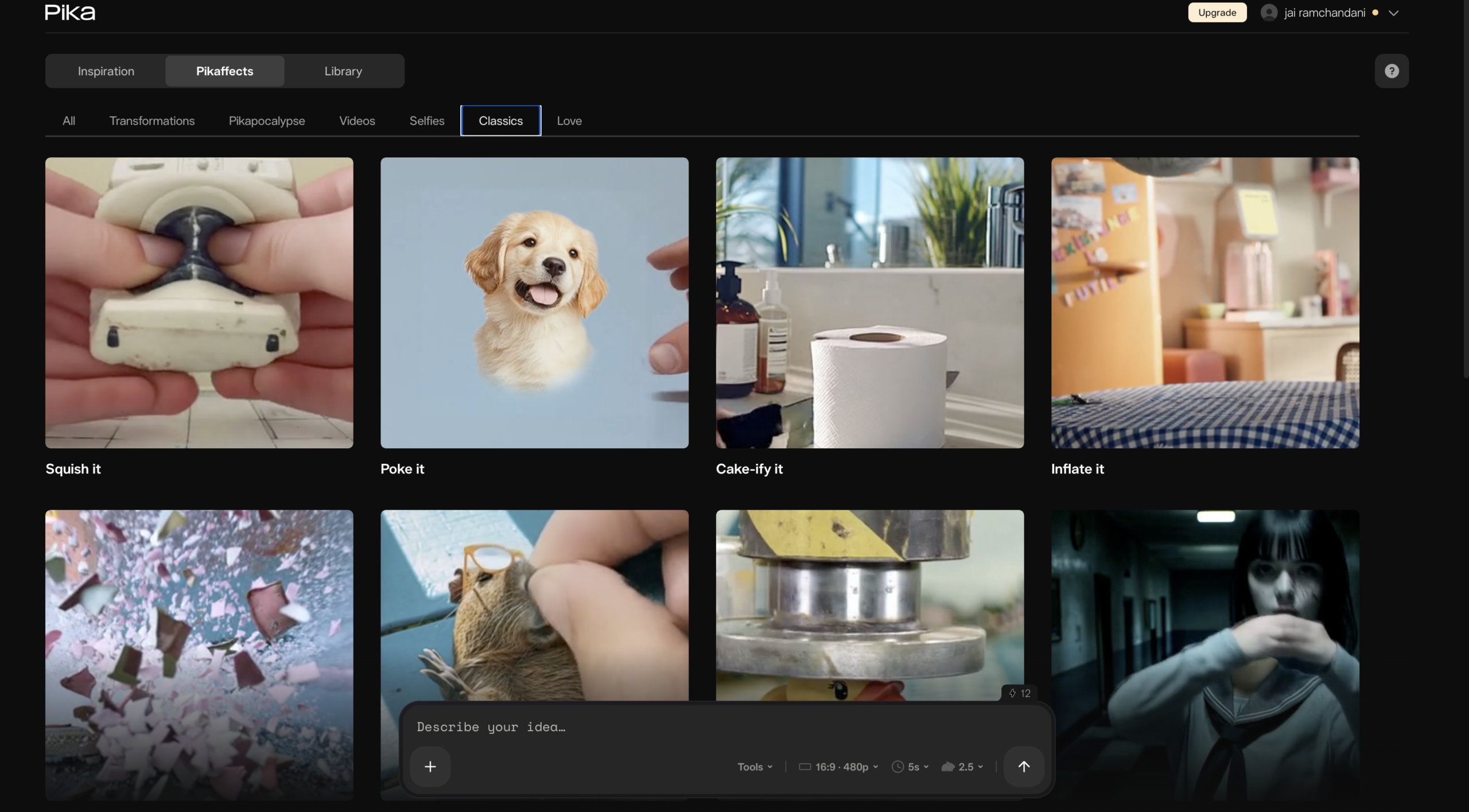
Pika is the social-first, effects-driven generator – the fastest and cheapest of the mid-tier, built for viral short-form. Its Pikaffects (melt, crush, explode) and Pikaframes start/end control are its signatures. It trades top-end realism for speed, price, and playful stylization.
Features
Effects Template
One-tap stylized transforms (crush, melt, explode, inflate) popular on social
Frames and Transitions
Define start and end images; AI generates the 1–10s transition
Lip Sync
Dialogue overlay without full regeneration
Easy Prompting
Usable results without heavy prompt tuning
Pros and Cons
- Cheapest entry point ($8/mo) and fast iteration
- Unique, fun stylized effects that suit TikTok/Shorts
- Easiest to learn; minimal prompt tuning
- Pikaframes gives precise start/end control
- Lowest cinematic-quality ceiling of the group
- Struggles with fine detail (hands, backgrounds) and complex multi-character scenes
- Lower resolution cap than Luma/Kling
- Commercial use + watermark removal require Pro ($28/mo)
Pricing Plans
Standard (Monthly)
$ 10
per month
Pro (Monthly)
$ 35
per month
Fancy
$ 95
per month
Customers
- Social-media & meme creators
- Short-form/viral content makers
- Casual/hobbyist creators
- Creators wanting stylized effects
Company Information
Pika Labs
2022
Palo Alto, California, USA
Frequently Asked Questions
What is Pika?
An idea-to-video platform from Pika Labs. Create AI videos, automate workflows, and use agents; from text, images, or existing footage.
Can Pika work with my AI agent?
Yes. Pika MCP gives any existing agent access to Pika’s creative models and Pika-made skills. Pika Agent is a conversational partner with all models.
Can I use Pika videos commercially?
Yes, on every plan including free. Downloads carry no watermark. Confirm current terms at pika.art/terms-of-service before client work.
What content isn’t allowed?
Pika publishes an Acceptable Use Policy at pika.art/acceptable-use-policy. Read it before commercial or client-facing work.
How long can clips be?
5–10 seconds for standard text-to-video and image-to-video. Pikaframes extends to 25 seconds at 480p, 720p, or 1080p.
Is Pika the right tool for my project?
Best for creative effects and short social clips. For long-form, talking heads, or voiceover-driven video, shortlist something else.
Strength
AI Creative effects
rating
⭐️ 4.1
Starts At
$ 9
per week
Alternatives
Runway
⭐️ 4.7
strength
Creative suite
Pro AI video platform with best-in-class camera control and editing tools.
FROM
$ 15
per month
✅ Free Trial
Kling AI
⭐️ 4.3
strength
Cinematic video
Cinematic generator with true 4K and multi-shot storytelling.
FROM
$ 7
per month
✅ Free Trial
Luma AI
⭐️ 4.4
strength
Creative AI Agents
Fast, elegant AI video with strong start/end keyframe control.
FROM
$ 30
per month
✅ Free Trial