

Kling AI
Cinematic generator with true 4K and multi-shot storytelling.
RATED
4.3 ⭐️
strength
Cinematic video
starts at
$ 7
per month
RATED
4.3 ⭐️
strength
Cinematic video
starts at
$ 7
per month
Overview
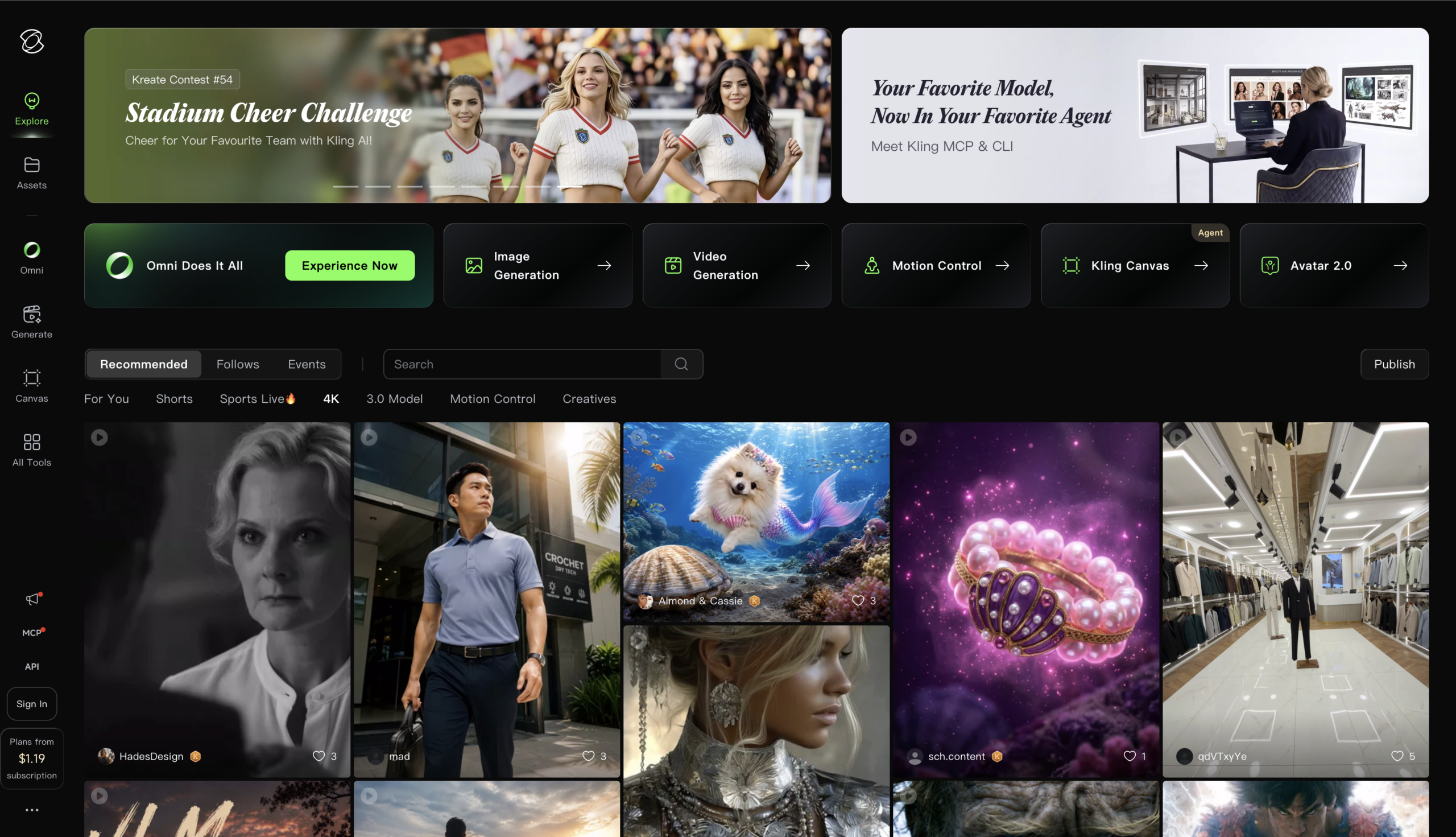
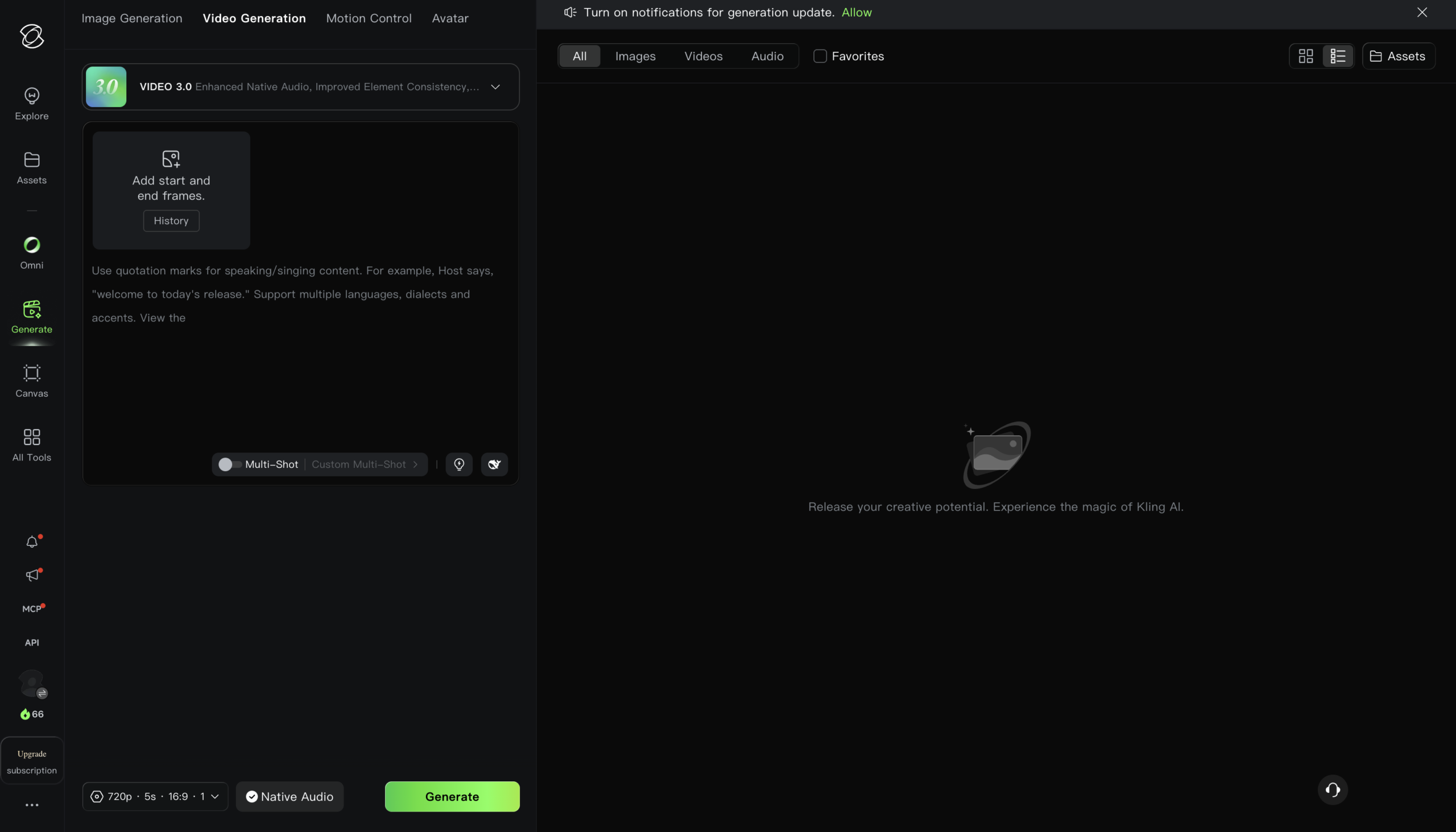
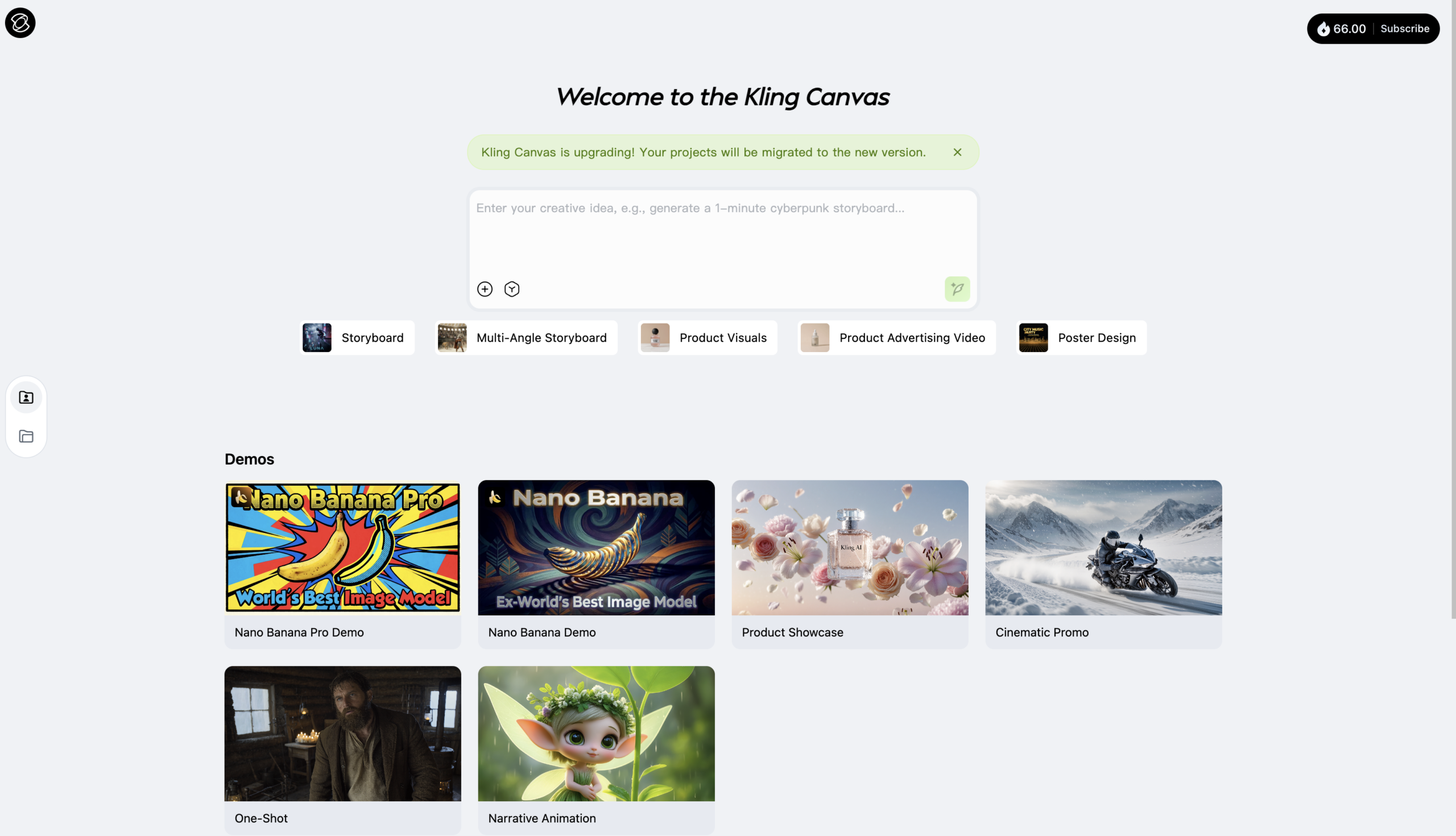
Kuaishou’s flagship and the value leader, often the top ELO benchmark scorer while undercutting rivals on price. Kling 3.0 works like a virtual director: a storyboard tool controls camera, pacing, and shots, with native 4K and lip-synced audio in one pipeline and the longest clips in its class.
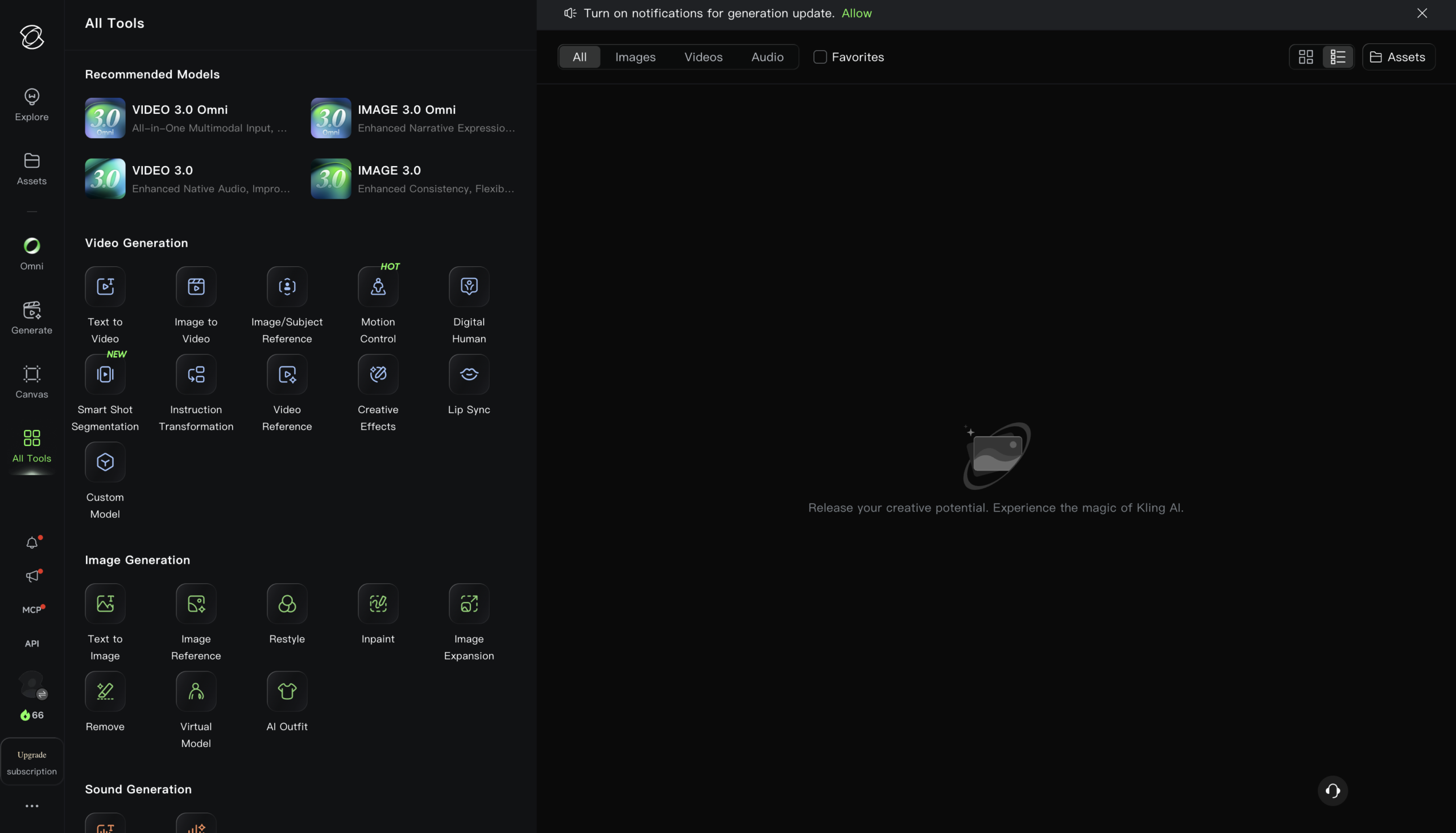
Features
Kling LLM
Flagship video model with multimodal instruction parsing and multi-scene consistency
Native Audio
Video 3.0 generates synced voice, SFX, and ambient sound directly with the footage
Motion Control
Replicate movement and micro-expressions from a reference video onto any character
Image-to-Video
Animate a single still image into motion while preserving character identity
Omni Mode
Combine text, image, reference, and audio inputs in one unified generation flow
Native 4K
Cinema-grade 4K video output from Kling’s native 4K generation model
Special Effects
One-click effects and templates for fast, trend-ready creative video output
Developer API
Integrate video, image, and audio generation into apps via prepaid packages
Pros and Cons
- Best value: high quality at the lowest entry price for commercial use
- Strongest single-model choice for multi-shot narrative continuity
- Native 4K + audio that rivals lack
- Longest clips and a very generous free tier
- Weak customer support; credits deducted for failed generations
- Credits expire each cycle (no rollover on subscription credits)
- As a China-regulated platform, content censorship on sensitive topics; corporate data-policy considerations
- Slower iteration than Pika/Luma; storyboard has a learning curve
Pricing Plans
Standard (Monthly)
$ 7
per month
Pro (Monthly)
$ 26
per month
Premier
$ 65
per month
Ultra (Monthly)
$ 128
per month
Team (Monthly)
$ 79
per seat per month
Enterprise
Custom
Contact for Pricing
Customers
- AI Filmmaker – Blend AI and VFX to create cinematic short films and animations that would otherwise need large production budgets.
- Social Content Creator – Turn text and images into short-form vertical video for TikTok, Reels, and Shorts using the mobile app on the go.
- Character Animator – Use Motion Control to map real facial expressions and movement onto static characters be it human, anime, or 3D.
- Ad & E-commerce Marketer – Generate product videos, digital-human presenters, and ad variations fast, with commercial rights on paid plans.
- Developer / Studio Integrator – Build Kling video and image generation into apps via the API, billed per clip through prepaid resource packages.
Company Information
Kuaishou Technology
2011
Beijing, China
Frequently Asked Questions
Does the free plan allow commercial use of my videos?
No. The free Basic plan blocks commercial use of generated content, you need at least the Standard plan for commercial rights along with watermark removal and 1080p output.
How do credits work and how many videos will I actually get?
Credits are spent per generation, and the cost depends on the model, resolution, duration, and features you choose. Running Video 2.5 Turbo costs a modest 15 credits, but switching to Video 3.0 to unlock native audio and superior consistency scales the same 5-second video up to 45 credits, so your model choice is the main driver of credit burn.
What’s the difference between Kling 2.6 and Kling 3.0?
Kling 3.0 is the current flagship, built on a fully upgraded architecture. Compared to 2.6, Kling 3.0 significantly improves facial consistency across complex motion, multiple angles, and longer sequences, and adds native audio and stronger multi-scene control.
Can I animate a static image to match a specific performance?
Yes, using Motion Control. You upload a static character image and a motion reference video, and Kling replicates the movement, facial expressions, and details with zero character distortion. It works on human, anime, and 3D characters.
How do I stop a character’s face from distorting during movement?
Enable the Bind Face Subject feature. Uploading multi-angle images or a short video helps the model lock facial identity and prevent distortion, keeping the character consistent across angles, occlusion, and distance.
Can Kling generate sound along with the video?
Yes. Video 3.0 supports Native Audio, generating voice, sound effects, and ambient sound with the footage. Turning on native audio in Professional Mode doubles the rate to 10 credits per second, so a 10-second clip with audio consumes 100 credits.
Do my unused subscription credits roll over each month?
Generally no for consumer plan. Subscription credits expire at the end of each billing month, though some sources note paid plans allow carrying forward a limited portion. Always verify current rollover terms at checkout, as promotional structures change frequently.
Does a consumer subscription include API access?
No. The Kling developer API operates on prepaid resource packages entirely distinct from consumer memberships — a consumer subscription gives you no API access, and API credits don’t transfer to the web interface.
What’s the pricing range and how much can I save annually?
Paid tiers run from roughly $10 up to about $180/month across five tiers. Annual billing saves approximately 34% on Standard, Pro, and Premier. First-subscription discounts apply only to the first billing period before reverting to standard rates
Strength
Cinematic video
rating
⭐️ 4.3
Starts At
$ 7
per month
Alternatives

Pika
⭐️ 4.1
strength
AI Creative effects
Playful AI video tool with viral effects and scene-to-scene restyling.
FROM
$ 9
per week
✅ Free Trial

Luma AI
⭐️ 4.4
strength
Creative AI Agents
Fast, elegant AI video with strong start/end keyframe control.
FROM
$ 30
per month
✅ Free Trial
Runway
⭐️ 4.7
strength
Creative suite
Pro AI video platform with best-in-class camera control and editing tools.
FROM
$ 15
per month
✅ Free Trial