

Luma AI
Fast, elegant AI video with strong start/end keyframe control.
RATED
4.4 ⭐️
strength
Creative AI Agents
starts at
$ 30
per month
RATED
4.4 ⭐️
strength
Creative AI Agents
starts at
$ 30
per month
Overview
Luma’s Dream Machine (Ray 3) is the cinematographer’s pick, praised for the most natural lighting, physics, and camera control among mid-to-upper-tier models, with HDR color depth.
Features
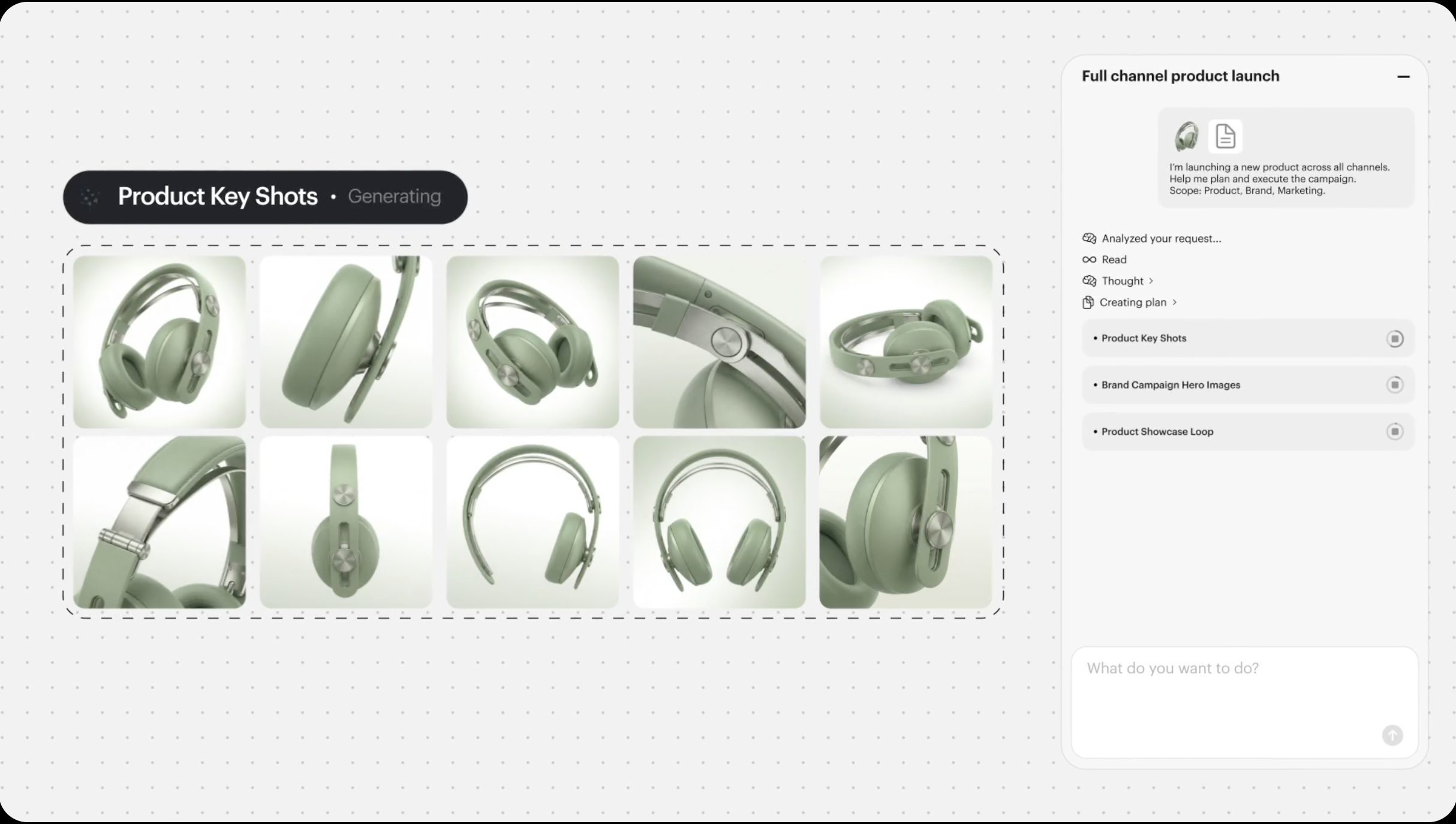
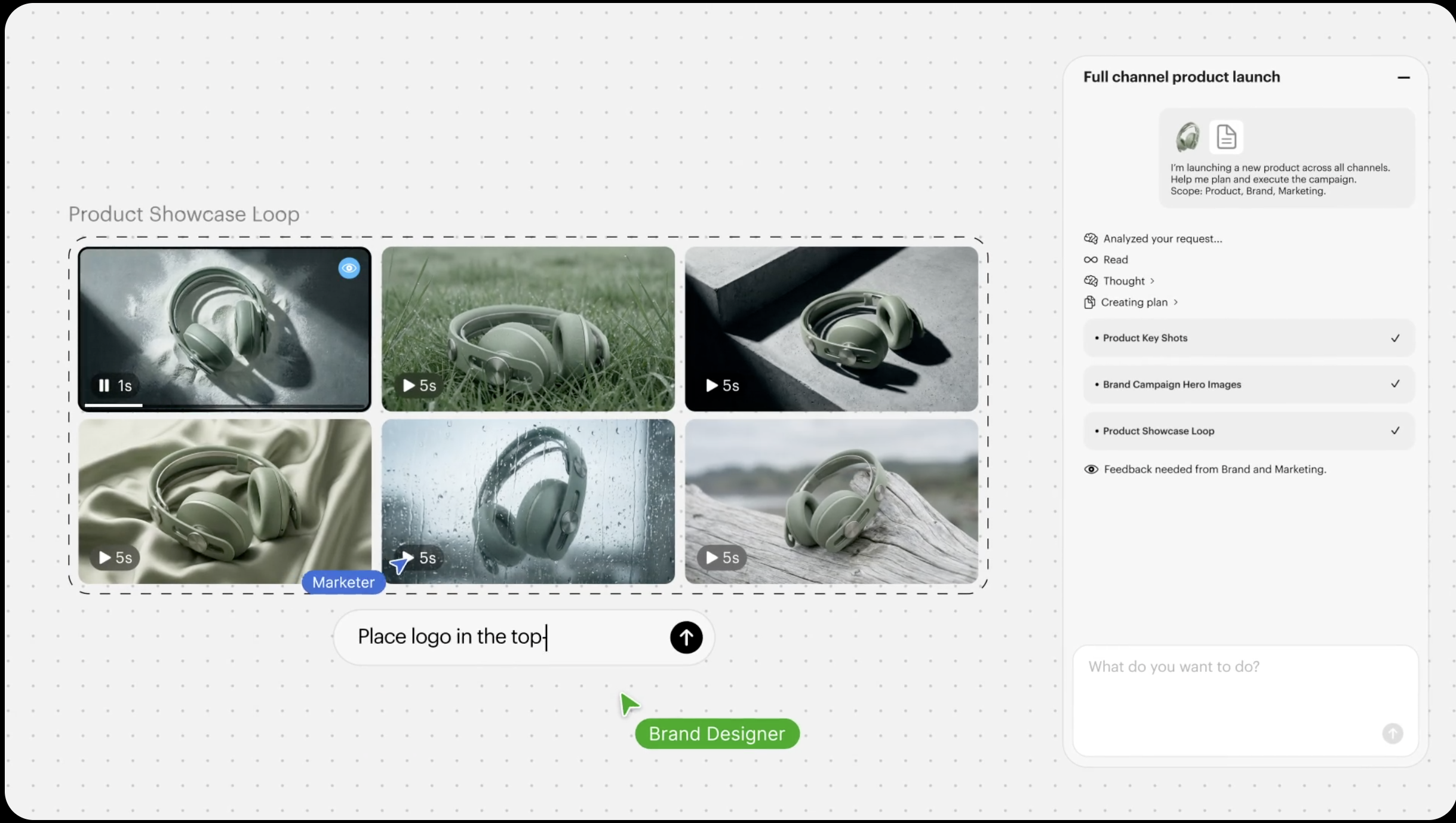
Creative Agents
Multimodal agent plans, generates, and refines end-to-end with shared project context
Infinite Canvas
Zoomable board to place, group, compare, and annotate all your assets spatially
Multi-Model
Auto-selects the best model per task: Ray3, Veo 3.1, Kling 3.0, Nano Banana, and more
Master References
Lock characters, products, and logos consistent across variations and localizations
Image-to-Video
Animate stills, add camera motion, extend scenes, and apply style transforms
Built-in Audio
Text-to-speech, music, SFX, captions, and lip sync generated in the canvas
Parallel Scale
Run multiple generations and directions at once from one prompt or asset
Semantic Search
Find any past asset by describing it in plain language
Pros and Cons
- Highest cinematic/lighting quality ceiling in its tier
- Excellent camera control for filmmakers
- Strong keyframe/interpolation workflow
- Best for beauty close-ups, product reveals, atmospheric shots
- No video on the free tier (images only)
- Silent output only; every clip needs separate audio post-production
- Latest Ray3.14 dropped character-consistency/reference-image support
- Prompt-sensitive, slower than Pika/Kling
Pricing Plans
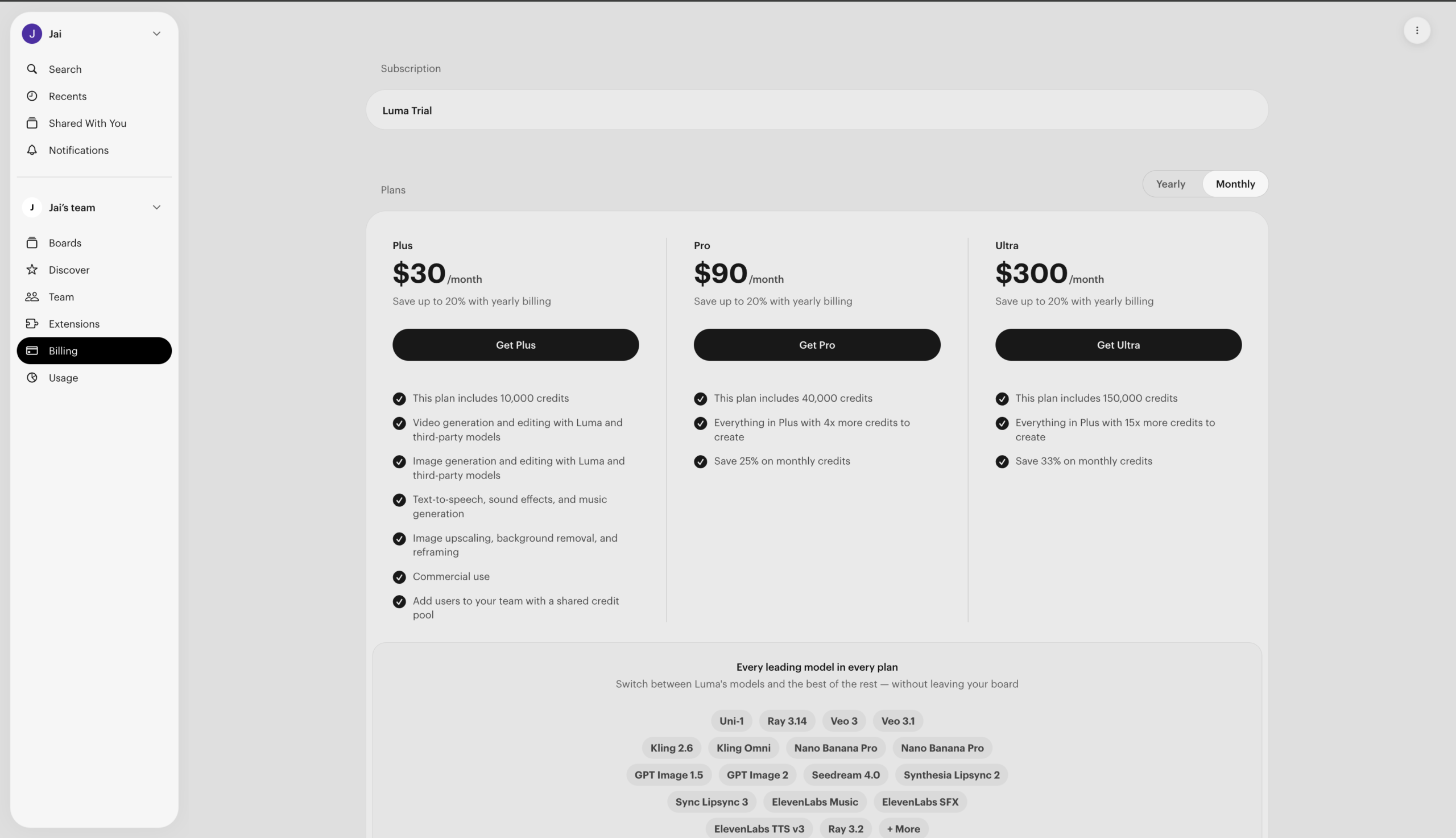
Plus (Monthly)
$ 30
per month
Pro (Monthly)
$ 90
per month
Ultra (Monthly)
$ 300
per month
Team
Custom
Contact for Pricing
Customers
- Brand Creative Director – Direct full multi-asset campaigns with cohesive visuals and infinite variations, ready to run across every channel.
- E-commerce Marketer – Produce on-model photography and product hero shots in every angle and format for stores, social, and marketplaces.
- Film & Trailer Director – Develop characters, storyboards, and cinematic trailers, moving from concept to pilot inside one canvas.
- Social Video Producer – Turn podcasts, ideas, or images into short-form video ads with hooks, captions, and per-platform formats fast.
- Localization / Content Team Lead — Translate and re-sync videos into multiple languages with natural voiceovers and consistent brand assets.
Company Information
Luma AI, Inc.
2021
Palo Alto, California, USA
Frequently Asked Questions
Do I need to know which AI model to pick?
No. The Luma Agent automatically selects the most appropriate model for your request. If you want more control, you can manually choose models and adjust parameters, but it isn’t required.
How does Luma keep characters, products, and logos consistent?
Through Master Reference Assets. You define characters, products, logos, or brand elements and instruct the Agent to preserve them across variations, video generation, localization, and iterations. Consistency improves the more clearly you define what must stay the same.
Can I edit existing images and videos, not just generate new ones?
Yes. You can modify images (style, objects, lighting, composition), animate images into video, transform videos into new styles, extend video duration, reframe aspect ratios, and add voice, music, and captions.
What’s the difference between Brainstorm Mode and Create Mode?
Brainstorm Mode helps you think – no media is generated, and it’s for exploring ideas, concepts, and creative direction. Create Mode helps you build – images, video, audio, and text are generated, with the Agent selecting models and executing.
Does Luma support voiceovers, music, and lip sync?
Yes. It supports text-to-speech with emotional tone, sound effects, music generation, and captions. For lip sync, you upload a video of a character, add an audio track, and sync the lips to the speech; and you can re-sync in another language to localize.
Can I generate multiple variations and run tasks in parallel?
Yes, this is a core strength. You can generate multiple outputs from one prompt, create variations from a single asset, and explore different styles and formats. Luma supports parallel generation across modalities, reducing turnaround on complex projects.
How does pricing and the credit system work?
Luma runs on a monthly subscription with an included credit allowance, spent each time you generate. Plus is $30/month for 10,000 credits, Pro is $90/month for 40,000 credits, and Ultra is $300/month for 150,000 credits. Credits reset each billing cycle and unused credits expire; they don’t roll over. Credits for failed generations are automatically returned.
What happens if I run out of credits mid-project?
You can set an additional spending limit in account settings, as little or as much as you need. Luma pauses the moment you hit that limit, and you’re never charged beyond what you’ve approved.
Can I collaborate with a team on the canvas?
Yes. You can share your canvas via link or invite collaborators by email with Viewer or Editor permissions, and annotate with notes, arrows, labels, and drawings. Team and Enterprise plans add member management, shared team credits, usage analytics, and SSO.
Strength
Creative AI Agents
rating
⭐️ 4.4
Starts At
$ 30
per month
Alternatives

Pika
⭐️ 4.1
strength
AI Creative effects
Playful AI video tool with viral effects and scene-to-scene restyling.
FROM
$ 9
per week
✅ Free Trial

Kling AI
⭐️ 4.3
strength
Cinematic video
Cinematic generator with true 4K and multi-shot storytelling.
FROM
$ 7
per month
✅ Free Trial

Runway
⭐️ 4.7
strength
Creative suite
Pro AI video platform with best-in-class camera control and editing tools.
FROM
$ 15
per month
✅ Free Trial