

Murf AI
Studio-style AI voiceover platform with a polished editor for videos and presentations.
RATED
4.4 ⭐️
strength
AI Voiceover studio
starts at
$ 29
per month
RATED
4.4 ⭐️
strength
AI Voiceover studio
starts at
$ 29
per month
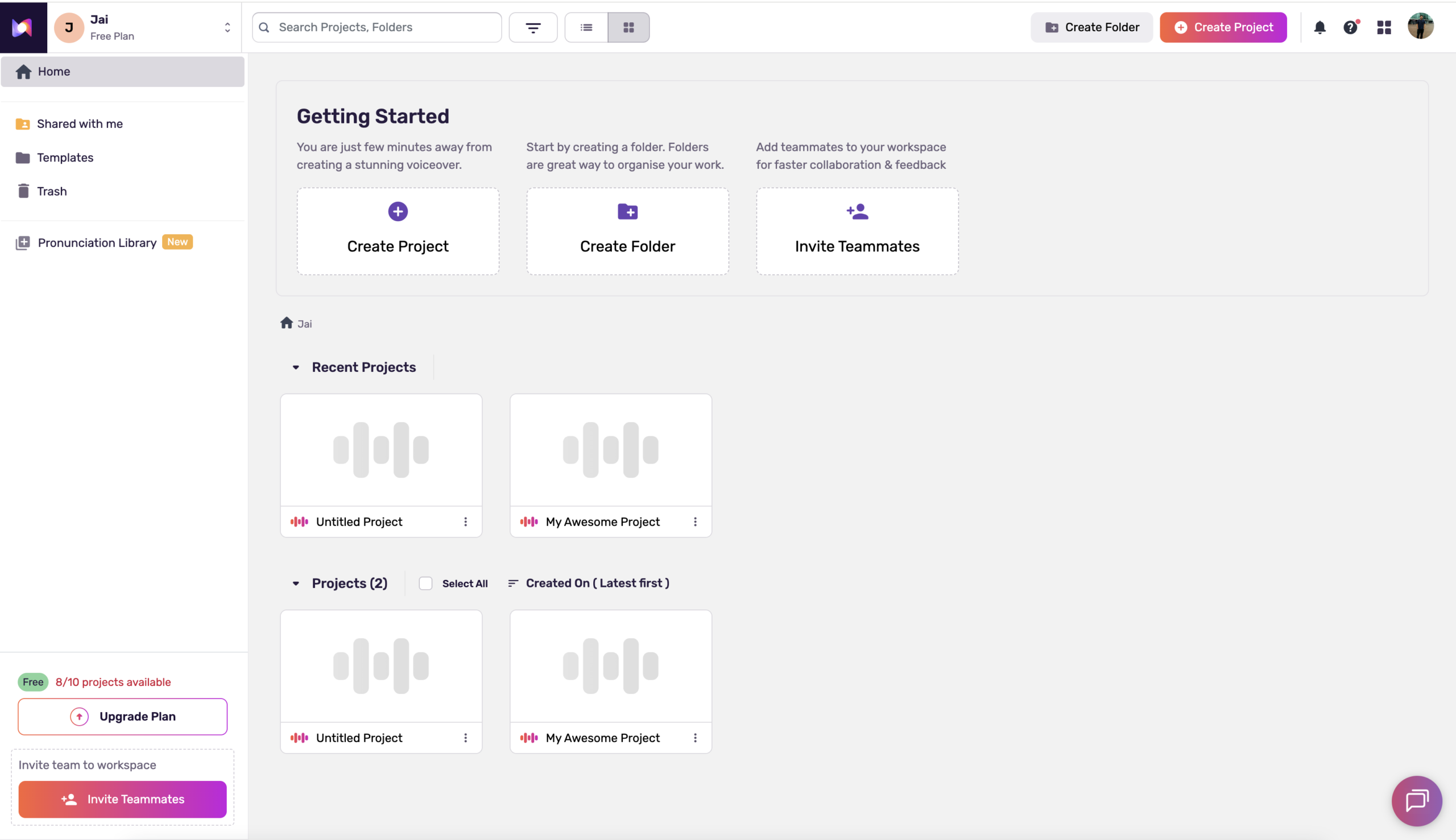
Overview
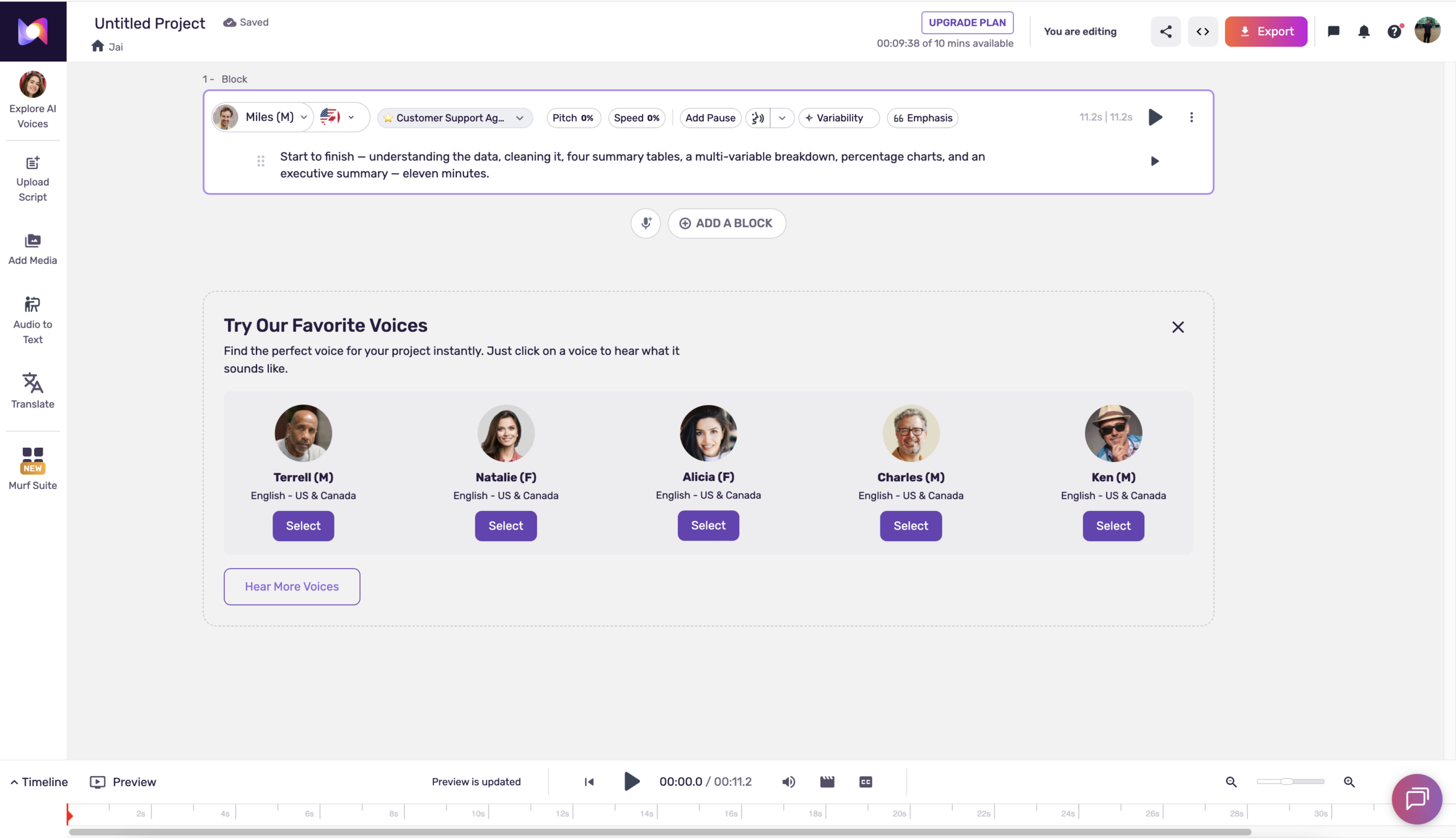
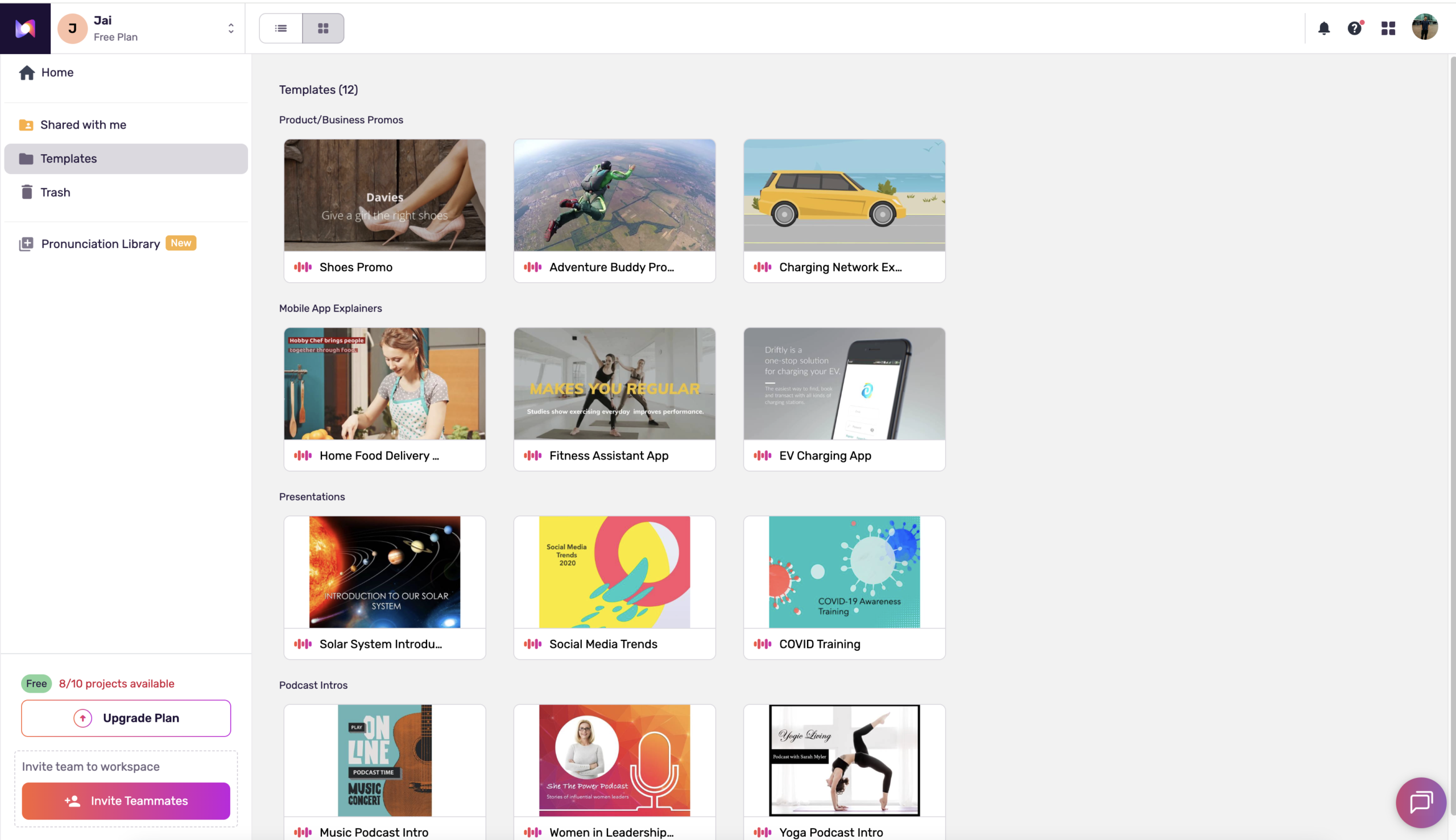
The studio experience of TTS, a ‘GarageBand for voiceover’. Murf’s polished editor syncs voice to video and embeds directly into PowerPoint, Slides, and Canva. Strong for marketing, e-learning, and training teams needing collaboration and compliance, though cloning is Enterprise-only.
Features
Murf Studio
Browser-based voiceover editor with timeline, emphasis, pitch, and pacing controls
Native slide integrations
Generate voice directly inside PowerPoint, Google Slides, and Canva
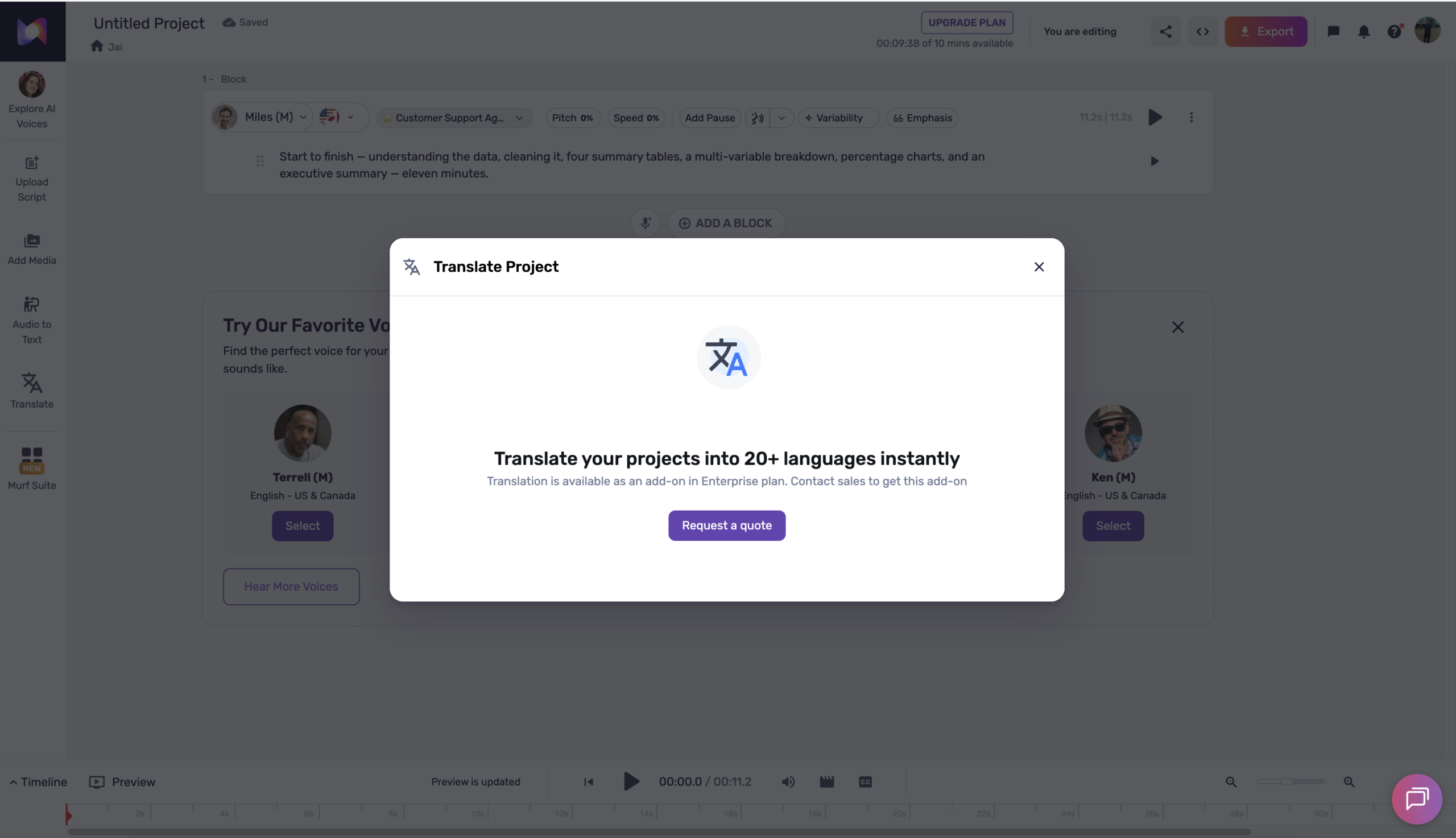
Multilingual Dubbing
AI video dubbing across 40+ languages
Falcon API
Very low-latency TTS (~55ms) for developers, at $0.01/1,000 chars
Voice Changer
Convert existing voice recordings into AI voices while keeping sync
Enterprise compliance
SOC 2 Type II, ISO 27001, ISO 42001, HIPAA, and GDPR
Team collaboration
Shared workspaces, role-based access, and custom pronunciation libraries
Pros and Cons
- Intuitive, polished studio editor for non-technical users
- Unique native PowerPoint/Slides/Canva integrations
- Strong team collaboration and enterprise compliance stack
- Commercial rights included on all paid plans
- Voice cloning restricted to Enterprise tier only
- Free plan is evaluation-only (no downloads, no commercial rights)
- Non-English voice quality trails English
- Confusing capacity differences between monthly and annual billing
Pricing Plans
Creator (Monthly)
$ 29
per month
Business (Monthly)
$ 99
per month
Enterprise
Custom
Contact for Pricing
Customers
- Marketing and content teams producing video voiceovers
- L&D and e-learning departments building training courses
- Corporate teams narrating PowerPoint and Google Slides decks
- Non-technical creators wanting a no-code studio
- Multilingual localization teams
Company Information
Murf Inc.
2020
Salt Lake City, Utah, USA
Frequently Asked Questions
Can I use Murf voiceovers commercially?
Yes. All paid plans include commercial rights for voiceovers generated in the Studio. Murf notes that third-party platform policies (like YouTube) change independently, so check those separately.
Does the free plan let me download audio or use it commercially?
No. The free plan offers about 10 minutes of voice generation for previewing voices, but it excludes downloads and commercial rights, making it evaluation-only.
Is voice cloning available on regular plans?
No. Voice cloning is restricted to Enterprise and requires contacting Murf’s team; it isn’t self-serve on Creator or Business.
How is usage measured?
By Voice Generation Time (VGT), the actual duration of the generated audio, not the character count. Adjusting settings like pitch or speed on unchanged text doesn’t consume extra VGT.
What audio formats can I export?
Paid plans export MP3 and WAV (with additional formats such as FLAC referenced in Murf’s materials); exporting requires a paid plan.
How does the separate Murf API pricing work?
The API is billed separately from Studio: a Free Trial gives 100,000 characters, and pay-as-you-go is $0.03 per 1,000 characters (minimum $2 purchase). Larger needs use a custom plan via sales.
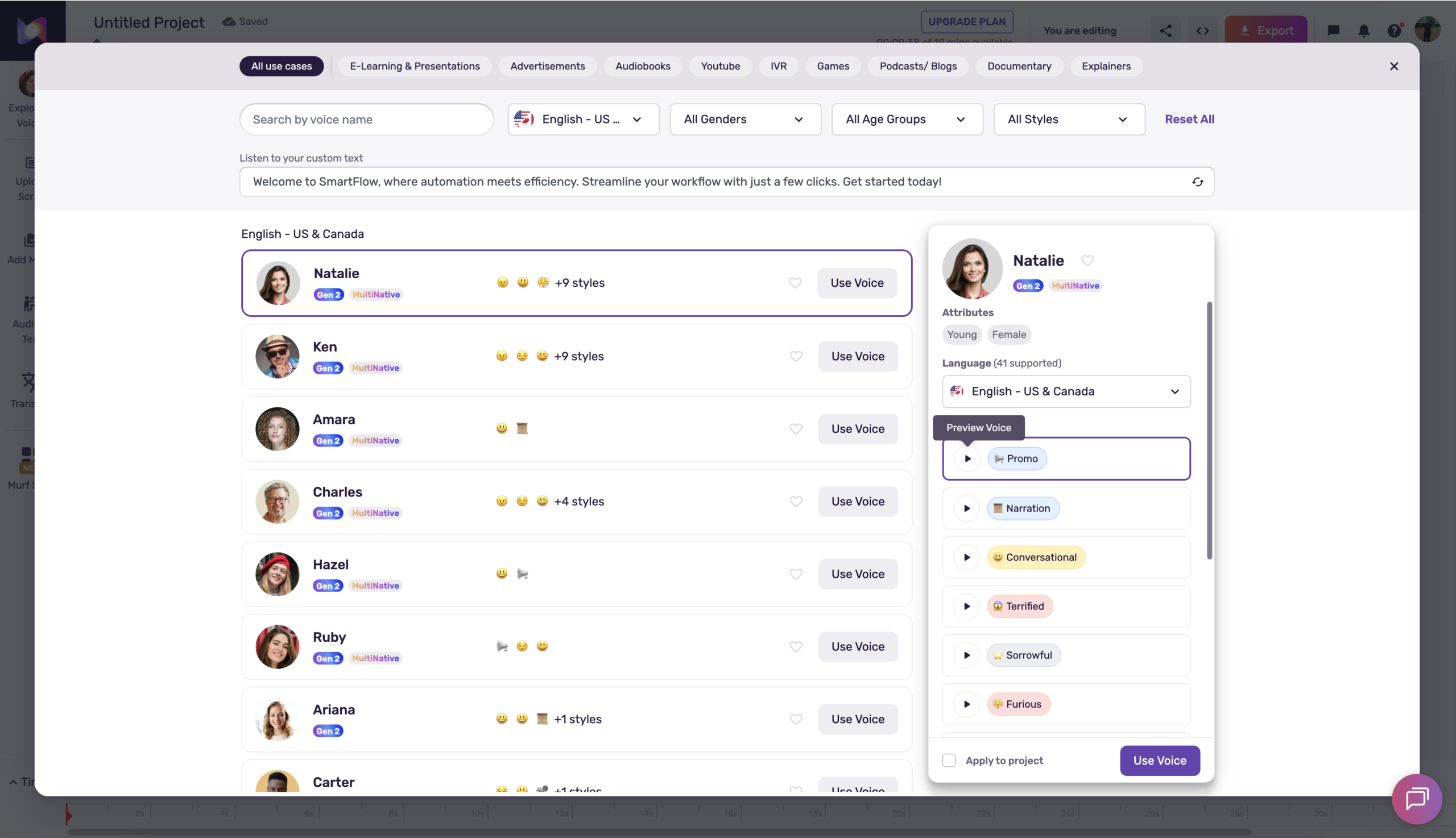
How many voices and languages does Murf offer?
Murf provides 200+ voices; its site references support across 20+ (and up to 35+) languages depending on the product.
Which compliance certifications does Murf hold?
Murf references SOC 2 Type II, ISO 27001, and GDPR/CCPA alignment, plus regional data-residency support.
Can I cancel anytime?
Yes. Paid plans auto-renew monthly (or annually), and you can cancel before the billing date to stop renewal.
Strength
AI Voiceover studio
rating
⭐️ 4.4
Starts At
$ 29
per month
Alternatives
Speechify
⭐️ 4.2
strength
Read-aloud Voice AI
Consumer text-to-speech app that reads documents, articles, and books aloud anywhere.
FROM
$ 29
per month
✅ Free Trial

Inworld
⭐️ 4.5
strength
Text-to-Speech Realism
Voice-first AI platform leading TTS realism, tuned for characters, games, and agents.
FROM
$ 25
per month
✅ Free Trial

Elevenlabs
⭐️ 4.7
strength
Voice cloning
The gold-standard AI voice platform for hyper-realistic text-to-speech and voice cloning.
FROM
$ 6
per month
✅ Free Trial