

CapCut
ByteDance’s go-to Shorts editor with Magic Studio AI features.
RATED
4.0 ⭐️
strength
Video editing
starts at
$ 10
per month
RATED
4.0 ⭐️
strength
Video editing
starts at
$ 10
per month
Overview
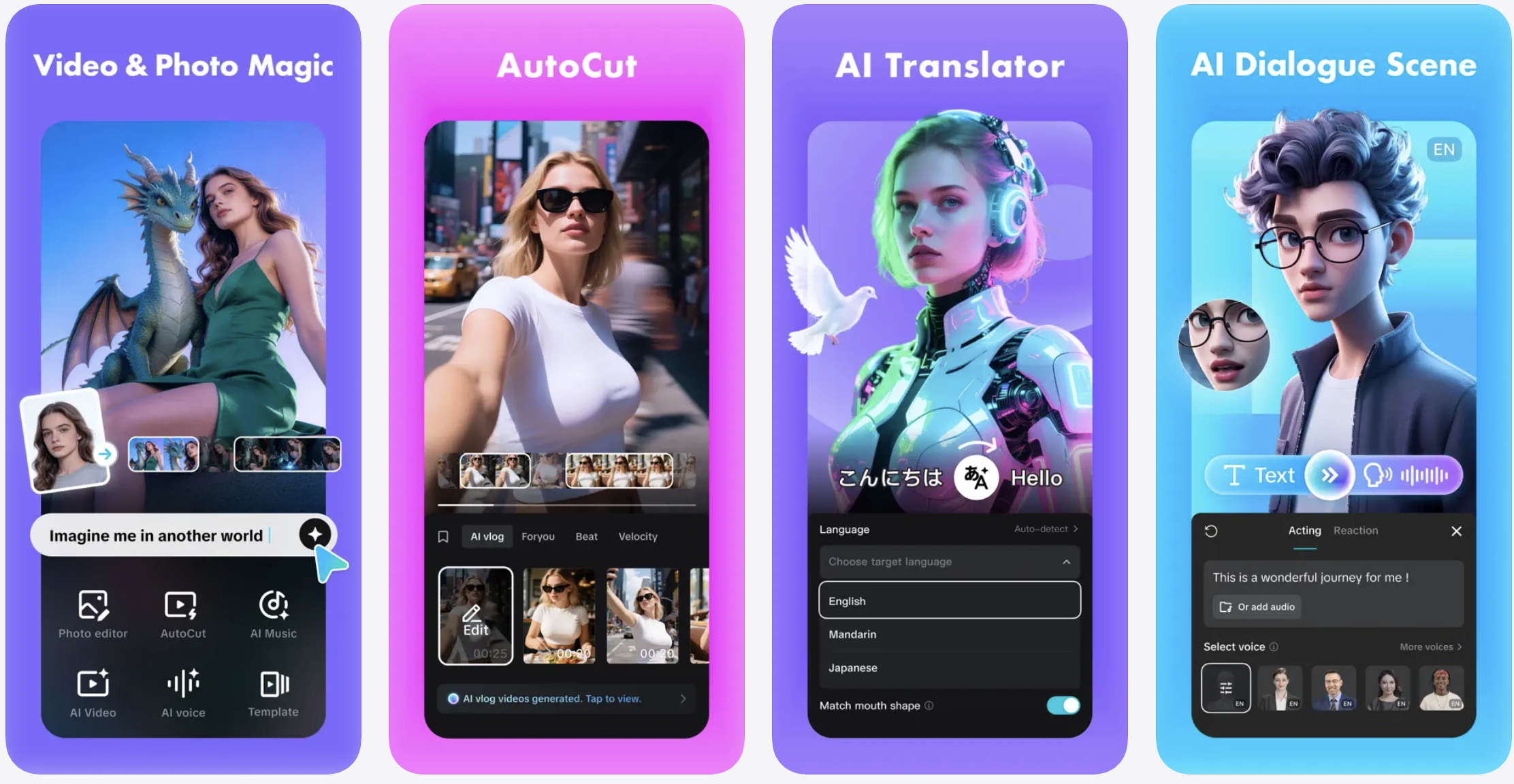
ByteDance’s hugely popular Shorts editor. Free, fast, and mobile-first, CapCut Pro’s Magic Studio AI adds object removal, 4K upscaling, avatars, and cloned voiceovers alongside long-to-shorts, auto-captions, and AI dubbing.
Features
Auto Captions
Detects language, generates synced subtitles, Pro adds auto-translation
Watermark-Free 4K
Clean commercial-ready exports at full resolution
AI Toolset
Background removal, motion tracking, noise reduction, enhancement, all Pro-gated
Smart Trim
Flags filler words and pauses to cut talking-head footage fast
Template Library
Thousands of premium social formats; swap clips in, export
Pro Timeline
Keyframes, chroma key, speed curves, multi-layer editing
Cross-Device Sync
Same project across web, desktop, and mobile via cloud
Pros and Cons
- Exceptionally generous free tier (1080p, watermark-free exports) — its biggest advantage
- Best-in-class for Shorts/TikTok; huge trending-effects library
- Fast, mobile-optimized, low learning curve
- Strong local/desktop performance (less network-dependent than VEED)
- Privacy/IP concern – June 2025 terms reportedly grant ByteDance perpetual, royalty-free rights to uploaded content, including private drafts; not advised for confidential work
- Weak team collaboration; limited customer support; not for color grading/multi-cam/long-form finishing
Pricing Plans
Standard (Monthly)
$ 10
per month
Pro (Monthly)
$ 20
per month
Teams (Monthly)
$ 25
per month
Customers
- Social Media Manager – Batch-edits Reels and TikToks with templates, auto captions, and 4K watermark-free export
- Solo Vlogger – Polishes on-the-go footage with stabilization, noise reduction, and relighting
- E-commerce Marketer – Builds product ads using auto reframe, background removal, and branding overlays
- Educator / Course Creator – captions and translates lectures, trims filler words from long recordings
- Small Video Team – syncs projects across web, desktop, and mobile with shared cloud storage
Company Information
ByteDance (CapCut)
2012
Singapore / China (ByteDance)
Frequently Asked Questions
What do I actually get by upgrading from Free to Pro?
The Free plan covers basic editing – cuts, trims, transitions, text, captions, and a music library – but every export carries a watermark, AI features aren’t included, and there’s no cloud storage. Pro removes the watermark, unlocks 4K export, premium effects, larger stock libraries, and higher cloud limits.
What’s the Pro caption advantage?
Captions exist in the free version, but Pro adds automatic translation of captions into another language.
Can I use CapCut for client and business work?
The Pro plan includes a commercial license for most exports, making it suitable for client work and business content, while the Team plan adds centralized billing and brand kit management. Free and Standard have limited commercial licensing terms – verify before using them commercially.
Which AI tools are Pro-only?
The AI toolset – auto caption generator, background remover, motion tracking, noise reduction, AI video, AI music, AI image generator, and advanced enhancement – is exclusive to Pro.
Can it help me cut long videos down into shorts?
Yes – an intelligent trimming feature analyzes your dialogue and identifies repeated words, sentences, and pauses so you can review and cut talking-head footage in minutes, aimed at repurposing long-form content for TikTok or YouTube Shorts.
Does it run on desktop or just phone?
CapCut runs on web, desktop, and mobile with cloud sync, and is available both as a downloadable PC app and a browser editor at capcut.com.
Does it have a real brand kit?
This is a known gap for solo plans. CapCut lets you add a logo and text overlays manually, but it doesn’t have a brand kit that saves fonts, colors, caption style, and logo placement and applies them across projects – every video needs manual setup. Brand kit management sits on the Team plan.
Anything a business should weigh before standardising on it?
Two things. CapCut is a ByteDance product and is subject to the same data collection scrutiny as TikTok in several countries – worth factoring in for regulated industries or sensitive client data. Customer support is also a documented weak point across independent reviews. Many users also report difficulty cancelling subscriptions.
Strength
Video editing
rating
⭐️ 4.0
Starts At
$ 10
per month
Alternatives

OpusClip
⭐️ 4.1
strength
Clip repurposing
Turns one long video into 10-15 scored short clips in minutes.
FROM
$ 15
per month
✅ Free Trial

VEED
⭐️ 4.5
strength
Browser video editor
Browser-based AI video editor; captions, avatars, eye-contact correction.
FROM
$ 9
per month
✅ Free Trial

Descript
⭐️ 4.5
strength
Text-based video editing
Text-based video/audio editing with AI agent.
FROM
$ 24
per person per month
✅ Free Trial