

Descript
Text-based video/audio editing with AI agent.
RATED
4.5 ⭐️
strength
Text-based video editing
starts at
$ 24
per person per month
RATED
4.5 ⭐️
strength
Text-based video editing
starts at
$ 24
per person per month
Overview
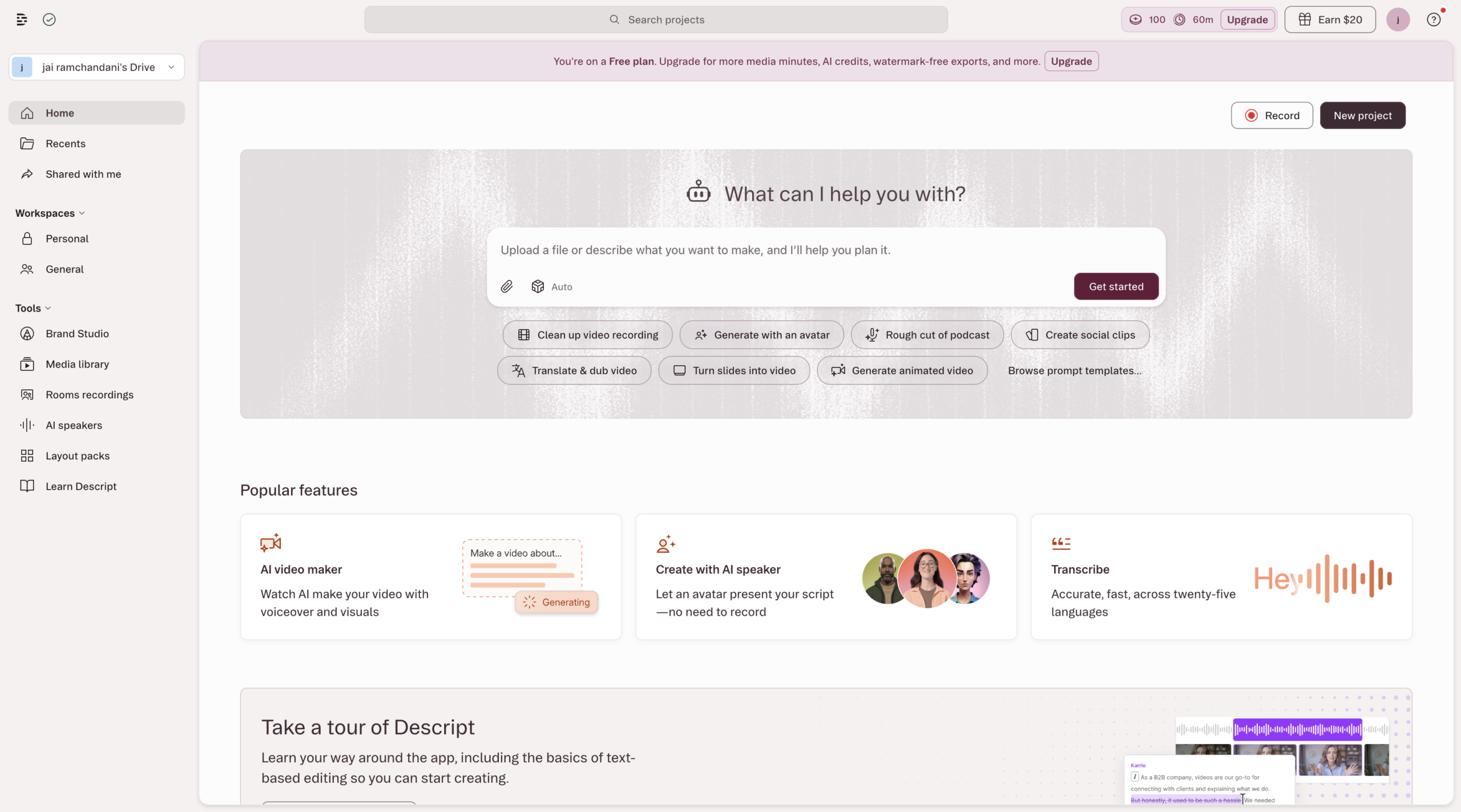
The text-based editing standard for spoken-word content. Descript transcribes your video and lets you edit it like a document – delete words to cut footage. Its Underlord AI agent automates the tedious work (filler removal, clipping, cleanup), and Studio Sound rescues bad audio with one toggle.
Features
Transcript-Based Video Editing
Edit video and audio by editing the text document, not the timeline.
Overdub AI Voice Cloning
Type corrections and Descript speaks them in your own cloned voice.
Filler Word & Silence Removal
One click strips “um,” “uh,” and dead air from the whole recording.
Studio Sound Enhancement
Cleans background noise and makes home recordings sound studio-grade.
Eye Contact & Look Correction
AI redirects your gaze to the camera when you were reading a script.
Multitrack Screen Recording
Records screen, camera, and mic as separate editable tracks for tutorials.
Pros and Cons
- Fastest workflow for podcasts/interviews – transcript editing is genuinely transformative
- All-in-one: replaces separate recorder, transcription, and basic editor
- Studio Sound rescues poor recordings with one click (repeatedly cited standout)
- Genuinely usable free plan; SOC 2 Type II
- Not a replacement for pro NLEs – weak on color grading, VFX, motion graphics, multi-cam
- Slows down/gets bloated on larger or complex projects
- AI credit system (Underlord, avatars, etc.) can restrict heavy users; Underlord still in beta and can give contradictory guidance
- Requires internet (no offline editing); AI avatar renders can fail while still consuming credits
Pricing Plans
Hobbyist (Monthly)
$ 24
per person per month
Creator (Monthly)
$ 35
per person per month
Business (Monthly)
$ 65
per person per month
Enterprise
Custom
Contact for Pricing
Customers
- Podcast Producer – Weekly interview host cutting filler and rescuing bad remote guest audio
- Internal Comms Lead – Builds onboarding videos by screen-recording and editing the transcript
- Scripted YouTuber – Solo creator using Eye Contact to hide the teleprompter read
- Course Instructor – Records lessons, re-records mistakes with Overdub instead of reshooting
- Agency Video Editor – Cuts client interviews fast, shares doc-style drafts for comments
Company Information
Descript, Inc.
2017
San Francisco, California, USA
Frequently Asked Questions
What is Descript?
An online AI video and podcast editor that makes editing video as easy as editing text. Record, transcribe, edit, and publish in one tool.
How does text-based editing work?
Descript transcribes your footage automatically. Delete words in the transcript and the video updates instantly – no scrubbing a timeline.
Can I fix a mistake without re-recording?
Yes. Type the correct word and Regenerate clones your voice and matches your lip movements, replacing the audio seamlessly.
What audio and appearance fixes are built in?
Studio Sound removes background noise and enhances voices. Eye Contact adjusts your gaze. Remove Filler Words cuts “ums” and “uhs” in one click.
Does it support translations?
Yes. Descript translates a video or a whole batch in minutes, adds captions, and dubs audio in 20+ languages with AI voices.
Can it create faceless or avatar videos?
Yes. Choose an AI avatar from the gallery or create your own, write a script, and let it deliver the lines with AI voices.
Can teams collaborate on a project?
Yes. Teams work in shared projects, review edits, leave comments, and manage versions without passing files between tools.
Strength
Text-based video editing
rating
⭐️ 4.5
Starts At
$ 24
per person per month
Alternatives

OpusClip
⭐️ 4.1
strength
Clip repurposing
Turns one long video into 10-15 scored short clips in minutes.
FROM
$ 15
per month
✅ Free Trial

VEED
⭐️ 4.5
strength
Browser video editor
Browser-based AI video editor; captions, avatars, eye-contact correction.
FROM
$ 9
per month
✅ Free Trial

CapCut
⭐️ 4.0
strength
Video editing
ByteDance’s go-to Shorts editor with Magic Studio AI features.
FROM
$ 10
per month
✅ Free Trial