Is Your Brand Showing Up in Google AI Overviews and AI Mode?
What does brand tracking in Google AI Overviews actually measure?
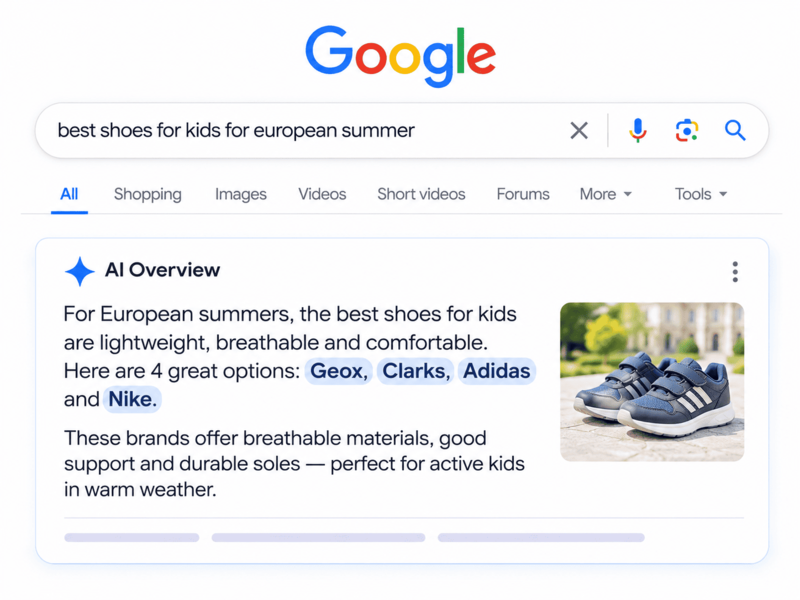
- The AI Overview appears. Google shows an AI-generated answer for a query that matters to you. This tells you where AI answers are taking attention, not whether you’re in them.
- Your page is cited. One of your URLs appears among the source links attached to the answer.
- Your brand is mentioned. Your brand name appears in the answer text itself, whether or not your site is linked.
How are AI Overviews and AI Mode different for brand visibility?
- The AI Overview appears. Google shows an AI-generated answer for a query that matters to you. This tells you where AI answers are taking attention, not whether you’re in them.
- Your page is cited. One of your URLs appears among the source links attached to the answer.
- Your brand is mentioned. Your brand name appears in the answer text itself, whether or not your site is linked.
What can you track about your brand, and what can’t you?
You can track | You can’t track (or only partly) |
|---|---|
Whether an AI Overview appears for a given keyword | Every query that triggered an AI answer citing you (no query-level breakdown in Search Console’s AI report) |
Whether your domain or URL is cited | Exactly why you were or weren’t cited |
Which competitors and sources are cited | A stable “position,” because AI Overviews change frequently |
Impressions of your links in AI features (Search Console) | Clicks from AI features separately from other search clicks (not listed in the AI report) |
Changes over time for a fixed keyword or prompt set | Personalized or logged-in variations |
Method 1: What can Search Console tell you about your brand in AI Overviews?
What is the generative AI performance report?
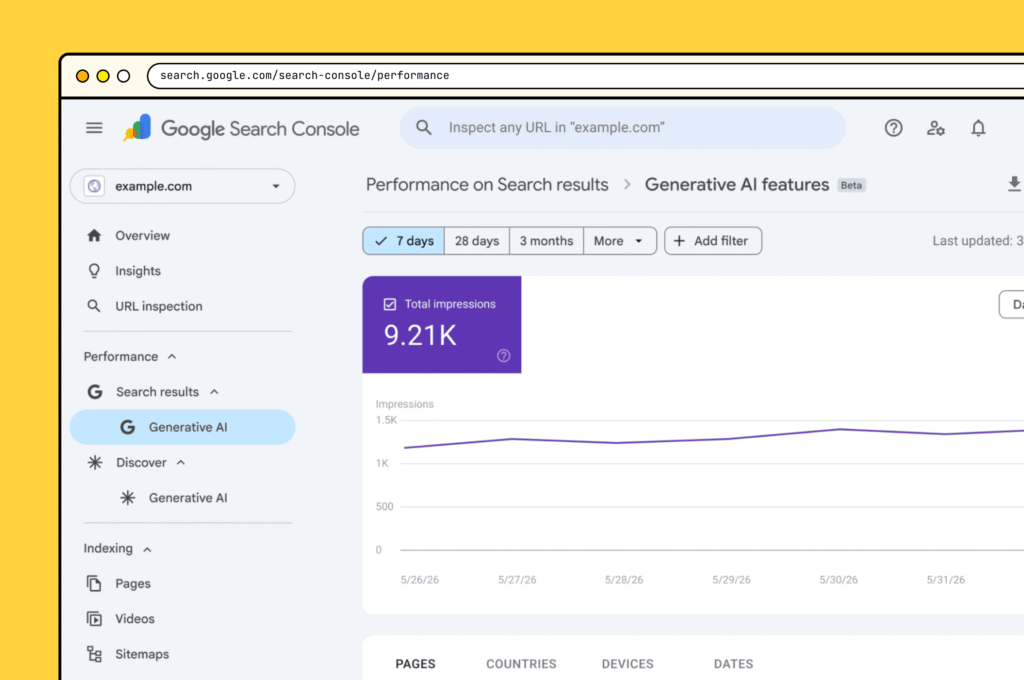
Google introduced Search generative AI performance reports in Search Console in June 2026, and as of August 31, 2026, they’ve been rolled out to all websites worldwide. The report is a separate view of your visibility in generative AI features on Search. That data is still included in your overall performance report as well.Which features, metrics, and dimensions does it include?
According to Google’s help documentation:- Features covered: AI Overviews and AI Mode. Google expects to update this list over time. Search Labs experiments aren’t included.
- Metric: Impressions, meaning how many times links to your site were shown to a user in a generative AI feature on Google Search.
- Dimensions: Pages (the final URL linked), countries, dates, and devices.
- Filters: Search type, including text-based web searches and multimodal searches (Google Lens, Circle to Search, image uploads).
How does Search Console count AI impressions?
If two results from your site appear in the same AI feature, they count as one impression in the chart total, which is aggregated by property. In the table, page-level data is aggregated by page. That’s why chart and table totals can differ.Where does the report fall short for brand tracking?
- The help page lists impressions as the metric. It doesn’t list clicks, CTR, or position for the AI report.
- The documented dimensions are pages, countries, dates, and devices. There’s no query dimension, so you can see which pages appear but not for which searches.
- Standard Search Console limits apply, including the 1,000-row limit.
- The report may not appear if your site hasn’t received enough impressions in AI features.
- The newest data is preliminary and may change within hours.
How should you use the report?
- Open Search Console and go to the generative AI performance report under Search results.
- Set the date range to the last three months and compare with the previous period.
- Switch to the Pages dimension to see which URLs get the most AI impressions.
- Filter by Country if you serve several markets.
- Compare your top AI pages with your top organic pages in the standard performance report. Pages that appear in one list but not the other are worth investigating.
Method 2: How do you check by hand whether your brand appears?
Step 1: Build a keyword and question list
Choose 20 to 30 queries that matter commercially. Include:- Your top organic keywords that show an AI Overview
- Informational questions your buyers ask (“how much does X cost,” “how to choose X”)
- Comparison queries (“X vs Y”)
Step 2: Set up a clean environment
- Use a private or incognito window, signed out of Google.
- Set your location deliberately. Results vary by country and city.
- Use the same device type each time, because desktop and mobile can differ.
Step 3: Run and record
For each query, record:Field | Example |
|---|---|
Date | 2027-01-15 |
Query | how to choose a bookkeeper for a restaurant |
AI Overview shown? | Yes |
Your domain cited? | Yes, link 3 of 7 |
Cited URL | /restaurant-bookkeeping-guide |
Competitors cited | Competitor A, Industry blog B, Reddit thread |
Your brand mentioned in text? | No |
Notes | Answer cites our checklist but recommends Competitor A |
Step 4: Take screenshots
Save a screenshot of each AI Overview where you’re cited, and of the important ones where you’re not. AI Overviews change frequently, so screenshots are your evidence.Step 5: Repeat
Run the same list on the same schedule. Weekly is ideal for a small list; monthly is the minimum. Because answers change so often, look at patterns over several checks rather than any single result.Time required: About an hour for 25 queries in both AI Overviews and AI Mode. Our AI visibility audit template includes a ready-made sheet.Method 3: Which tools handle brand tracking in Google AI Overviews?
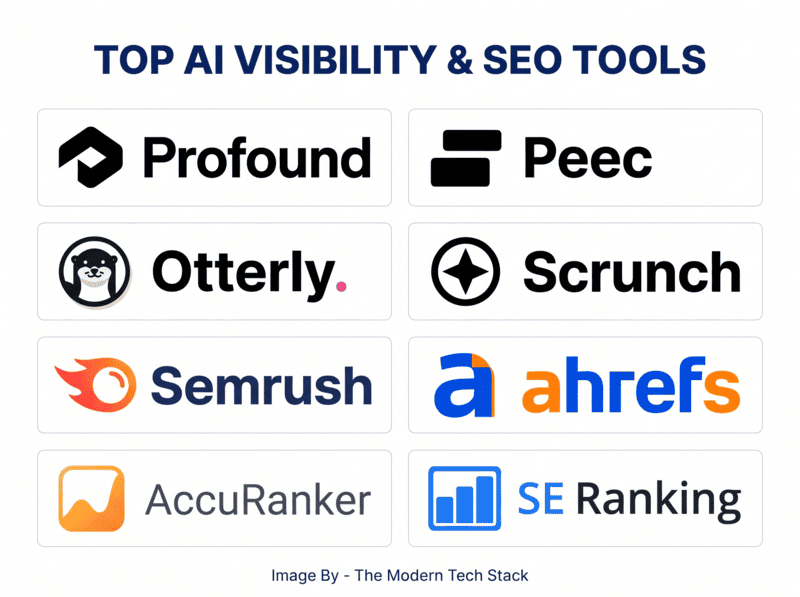
Which AI visibility trackers also cover Google?
These are traditional rank trackers that also capture AI Overviews on the results page. They’re keyword-based and best for SEO teams.Semrush Position Tracking. Add priority keywords to a Position Tracking campaign, then filter to keywords where your domain is cited in the AI Overview. Updates daily. Semrush’s Organic Rankings report also shows which keywords you already rank for that trigger an AI Overview.Best for: Teams already using Semrush who want AI Overview data alongside rankings.SE Ranking AI Overviews Tracker. Tracks AI Overview presence and your position within it day by day, shows competing sources and categorizes them (media, blogs, forums), supports multiple countries and languages, and keeps cached copies of results pages with AI answers. API and MCP access are available. A free check of five keywords is offered.Best for: Teams that want detailed AI Overview analysis, historical evidence, and data access.Advanced Web Ranking. Offers a dedicated “Google Search + AIO” search engine setting that captures both standard rankings and AI Overview blocks on desktop and mobile, including your citation rank and the sources used.Best for: Agencies needing desktop and mobile AI Overview data in a white-label rank tracker.AccuRanker. Has a dedicated AI Overview tab showing how many tracked keywords trigger AI Overviews, how many you “own” (your domain is one of the cited URLs), the top cited URLs and domains, and the text of each AI Overview. Its AccuLLM module adds AI Mode and other LLMs.Best for: Existing AccuRanker users and teams that want to read the AI Overview text in bulk.Ahrefs. A free AI Overviews tracker, with no sign-up, shows AI Overview mentions, top topics, and top cited domains and pages as a limited preview. Brand Radar offers daily AI Overviews tracking and a separate AI Mode tracker on paid plans.Best for: A quick free check, then Brand Radar for teams on Ahrefs.Which brand tracking setup fits your team?
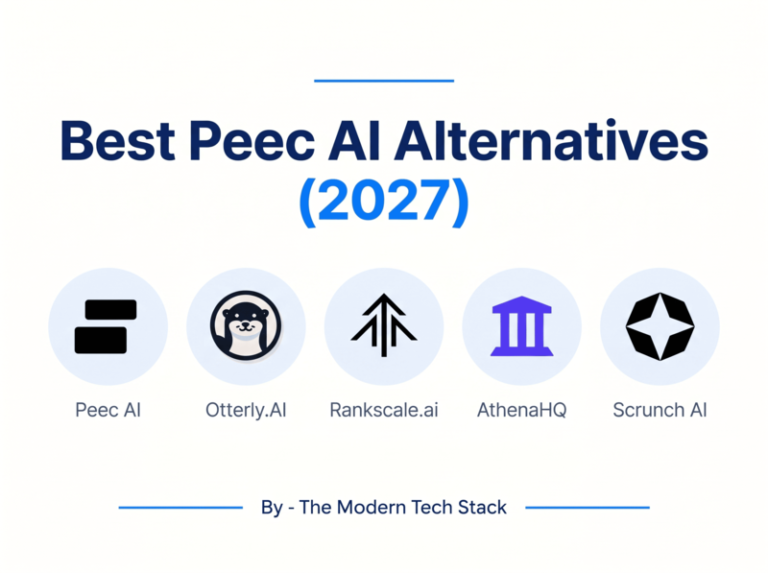
These are prompt-based tools built for LLMs that also cover AI Overviews and AI Mode. They’re better for conversational queries and for comparing Google with ChatGPT and Perplexity.- Peec AI: Includes AI Overviews and AI Mode among its selectable models, with a dedicated AI Mode tracker.
- Otterly.AI: Includes AI Overviews on all plans; AI Mode is an add-on.
- Keyword.com: Covers AI Overviews, AI Mode, and four other engines, with white-label reporting.
Tool | AI Overviews | AI Mode | Keyword or prompt based | Free option |
|---|---|---|---|---|
Search Console | Yes (impressions) | Yes (impressions) | Neither: page-level | Free |
Semrush | Yes, daily | Yes (AI toolkit) | Keyword (AIO), prompt (AI Mode) | Limited free checker |
SE Ranking | Yes, daily | Yes | Keyword | 5 keywords free |
Advanced Web Ranking | Yes, desktop and mobile | Via dedicated settings | Keyword | Trial |
AccuRanker | Yes | Via AccuLLM | Keyword | Trial |
Ahrefs | Yes | Yes (AI Mode tracker) | Both | Free preview |
Peec AI / Otterly / Keyword.com | Yes | Yes (Otterly: add-on) | Prompt | Trials |
Which brand tracking setup fits your team?
How should you read your brand tracking results?
- Separate presence from citation from brand mention. An AI Overview appearing for your keyword, your page being cited, and your brand being named in the answer text are three different outcomes. Report them separately.
- Use averages, not snapshots. Given how often AI Overviews change, report the share of checks in which you were cited over 30 days, not whether you were cited today.
- Watch the effect on clicks. AI Overviews can reduce clicks to standard results. Ahrefs reports that, on December 2025 data, AI Overviews reduced clicks to top-ranking pages by 58%, up from 34.5% in April 2025. If a keyword gains an AI Overview and your clicks drop while your ranking holds, this is the likely cause.
- Compare AI impressions with organic performance. Pages with rising AI impressions in Search Console but falling organic clicks are showing up in AI answers without earning visits. Consider whether the page gives readers a clear reason to click through, such as tools, templates, detailed data, or worked examples.
- Connect to traffic and conversions. AI visibility is only part of the picture. To see what AI-driven visits actually do on your site, set up referral tracking. See how to track ChatGPT and AI referral traffic in GA4.
Frequently asked questions
How do I track AI Overviews?
Start with Search Console’s generative AI performance report for impressions by page. Add a manual weekly or monthly check of your priority queries, and use an AI Overviews tracker such as Semrush, SE Ranking, Advanced Web Ranking, AccuRanker, or Ahrefs once you need daily data at scale.
Is there an AI Overviews tracker?
Yes, several. SE Ranking offers five free keyword checks, Ahrefs offers a free preview, and Semrush, Advanced Web Ranking, and AccuRanker include AI Overview tracking in paid plans.
Can I track AI Mode results?
Yes. Search Console’s AI report includes AI Mode impressions. Ahrefs, Peec AI, SE Ranking, Keyword.com, and AccuRanker’s AccuLLM also track AI Mode. Otterly offers it as an add-on.
Does Search Console show AI Overview clicks?
Google’s help page for the generative AI report lists impressions as its metric. AI feature clicks remain part of your overall Search performance data, but the AI report doesn’t list clicks separately.
Why is my AI Overview citation there one day and gone the next?
AI Overviews change frequently. Ahrefs reports a 70% chance of change between observations. Track averages over time.
Sources and References
- Google Search Central, AI features and your website
- Google Search Central Blog, Introducing Search generative AI performance reports
- Search Console Help, Generative AI performance report (Search)
- Ahrefs, AI Overviews Tracker
- Semrush, How to track AI Overviews with Semrush
- SE Ranking, AI Overviews Tracker
- Advanced Web Ranking, AI Overviews tracking guide
- AccuRanker, AI Overview page
- Peec AI, AI Mode visibility tracker